hello@sofrik.com

Web Hosting Security: 6 Features You Should Never Skip

sofrik
16 October 2025


When choosing a hosting plan for your website, most people focus on speed, uptime, and pricing—but web hosting security is equally important. Choosing secure web hosting helps protect your website, customer data, and online reputation from evolving cyber threats.
A reliable web hosting services company doesn’t just keep your website online; it protects your data, your users, and your reputation. Let’s explore the essential security features every website owner should look for before finalizing a hosting plan.
A reliable web hosting services company acts as your first line of defense by preventing breaches, minimizing downtime, and safeguarding sensitive information. Before choosing a hosting plan based on price alone, learn whether low-cost web hosting is actually worth it for your website.
Let’s break down the essential security features every website owner should evaluate before selecting a hosting provider.
Why Security Matters in Web Hosting?
Strong hosting security helps protect websites from malware, unauthorized access, data breaches, and other threats that can affect performance and customer trust.
 Common threats include:
1. Phishing attacks
2. Data breaches
3. Malware injections
4. Ransomware
5. Distributed Denial-of-Service (DDoS) attacks
Using secure hosting services significantly reduces your exposure to these risks.
Security failures don’t just cause technical damage. They also lead to:
-
Loss of customer trust
-
Revenue decline
-
Legal and compliance issues
-
Lower search rankings
For example, HTTPS helps protect data exchanged between your website and visitors and is an important part of website security and user trust.
A trusted web hosting services provider ensures multiple protection layers are in place to:
-
Block malicious traffic
-
Prevent unauthorized access
-
Maintain uptime stability
-
Secure user data
According to global cybersecurity studies, websites are compromised every day, reinforcing why security should never be treated as optional.
6 Web Hosting Security Features You Should Never Skip
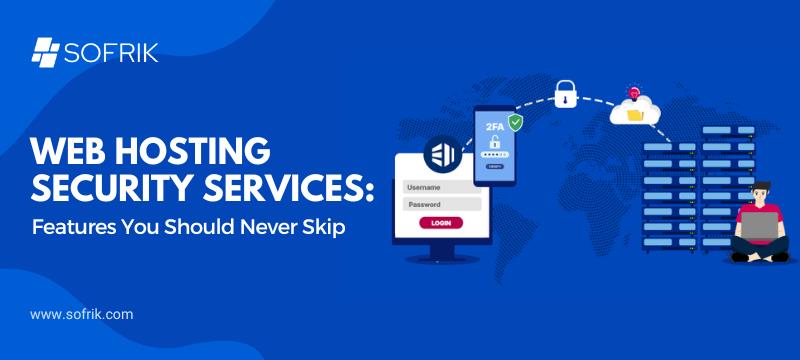
When evaluating the best web hosting services, look for these essential security features. They serve as the foundation for a safe and stable online presence.
 1. SSL Certificates
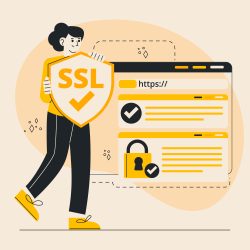
An SSL (Secure Socket Layer) certificate encrypts data shared between your website and its visitors. This means personal details like passwords or payment info are transmitted securely. Reputable web hosting services providers often include free SSL certificates in their plans — something you should never skip. SSL certificates are a basic requirement for secure website hosting because they encrypt sensitive information exchanged between your website and its visitors.
2. Firewalls and DDoS Protection
A web application firewall (WAF) filters and monitors traffic to block malicious requests, while DDoS (Distributed Denial-of-Service) protection safeguards your site from large-scale traffic attacks. Firewalls and DDoS protection are essential components of web traffic security, helping hosting providers identify malicious requests and manage suspicious traffic before it reaches a website.
The best web hosting services include:
-
Built-in firewall protection
-
Automated threat filtering
-
Real-time DDoS mitigation
3. Regular Backups
Backups act as your digital safety net. If your website ever faces data loss, a recent backup allows quick restoration without downtime. A trustworthy web hosting services company provide automated daily or weekly backups and secure off-site storage.
4. Malware Scanning and Removal
Malware can operate silently, damaging your website performance and user safety without visible warning signs. Regular scanning and automatic malware removal help detect threats early. This feature is crucial for maintaining a clean and secure hosting environment — especially for eCommerce or data-heavy sites. Regular malware scanning is an important part of hosted web security, helping identify malicious files and vulnerabilities before they cause serious damage.
5. 24/7 Monitoring and Technical Support
Cyber threats don’t sleep, and neither should your hosting support team. The best web hosting services include 24/7 monitoring, alert systems, and expert assistance. Responsive support ensures potential issues are resolved before they affect your users.
6. Secure Authentication and Access Controls
Security also depends on who can access your website files. A good web hosting services provider offers multi-factor authentication (MFA), secure password protocols, and user access management to reduce risks from unauthorized logins or internal misuse.
What Web Hosting Security Features Do Small Businesses Need?
For small businesses, website security is not just a technical concern. Your website may handle customer inquiries, contact information, payments, bookings, or other business data, making a secure hosting environment essential.
When comparing web hosting services, small business owners should look for these core security features:
1. SSL/TLS Protection
An SSL certificate encrypts information exchanged between your website and its visitors. It is especially important if your website collects contact details, login credentials or payment information.
2. Automated Website Backups
Regular backups give you a way to restore your website if files are accidentally deleted, corrupted, or affected by a security incident. Look for hosting plans that provide automated backups and make restoration straightforward.
3. Firewall and DDoS Protection
A firewall can help filter malicious traffic before it reaches your website, while DDoS protection helps reduce the impact of traffic-based attacks that can make a website unavailable.
4. Malware Scanning
Regular malware scanning can help identify suspicious files or malicious code early. This is particularly important for business websites that rely on their online presence to generate leads or sales.
5. Security Monitoring
Continuous monitoring can help identify unusual activity, downtime, or potential security problems before they become larger issues.
6. Reliable Technical Support
Small businesses may not have an in-house IT or server management team. Access to knowledgeable technical support can therefore be valuable when security, performance, migration, or server-related issues arise.
The right hosting plan should provide more than server space. It should give your business a secure and reliable environment for maintaining its online presence.
Free vs Paid Hosting: What You Need to Know
It’s tempting to start with free web hosting services, especially for small projects or beginners. However, free hosting often sacrifices security for cost savings.
Most free plans lack:
-
SSL certificates
-
Firewall protection
-
Backup systems
-
Malware defense
-
Priority technical support
This exposes websites to preventable risks.
In contrast, a professional web hosting services company prioritizes performance, privacy, and data protection. Paid plans typically offer more comprehensive secure web hosting features, including advanced security controls, regular backups, malware protection, and technical support. While free options may seem appealing at first, investing in quality hosting pays off in long-term safety and reliability.
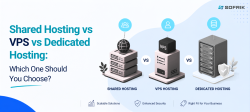
Not sure which type of hosting is right for your website? Compare shared hosting, VPS, and dedicated hosting to understand which option best fits your needs.
How to Choose Secure Web Hosting for Your Business?
Choosing a provider with strong hosting security is essential for protecting your website and maintaining reliable performance. A cheaper plan may look attractive initially, but limited security, support, backups, or resources can create additional problems as your website grows.
Before choosing a secure web hosting provider, use this checklist:
✔ Check the included security features
Find out whether SSL/TLS, firewalls, malware scanning, DDoS protection and backups are included in the plan or require additional fees.
✔ Look at backup and restoration options
Don’t just check whether backups are available. Find out how frequently they are created, how long they are retained, and how easily your website can be restored.
✔ Consider uptime and monitoring
Your website needs to remain accessible when customers are looking for your business. Look for a provider that monitors infrastructure and responds to downtime or server issues.
✔ Check the level of technical support
For small businesses without dedicated technical staff, responsive support can make a significant difference when a website or server problem occurs.
✔ Consider scalability
Your hosting requirements may change as your website receives more visitors, adds functionality, or starts handling more business data. Choose a solution that allows you to upgrade resources when necessary.
✔ Review the total cost
Compare more than the introductory price. Check renewal costs, security add-ons, backup fees, migration charges and other potential expenses before making your decision.
A simple rule for small businesses
Don’t choose hosting simply because it is the cheapest option. Choose a hosting solution that provides the security, reliability, support and scalability your business actually needs.
If your business requires ongoing server monitoring, security management and technical assistance, managed hosting can be worth considering instead of managing the hosting environment yourself.
Maintaining Security After Choosing a Host
Even after you’ve selected a reliable web hosting services company, maintaining security requires ongoing effort. Here’s how to stay protected: 
1. Keep your CMS and plugins updated. Outdated software is one of the top entry points for hackers.
2. Use strong passwords and change them periodically.
3. Limit admin access to trusted individuals only.
4. Monitor site activity using built-in tools from your hosting provider.
With regular maintenance and strong web hosting security, you can keep your website protected against evolving cyber threats.
Conclusion: Security Is Not Optional
Website security is no longer optional. Choosing the right provider is ultimately about investing in secure web hosting that protects your website, customer data, and business operations. Whether you’re running a small website or a growing business, choose a hosting provider that prioritizes security, reliability, performance, and ongoing support. For businesses that want ongoing server monitoring, security management and technical support, explore Sofrik’s managed hosting and server services.
“A website is more than an online asset. It represents your brand credibility, customer confidence, and revenue engine. Securing it with a trusted hosting partner is one of the most important long-term decisions you can make.”
Is secure web hosting important for small businesses?
Yes. A small business website can still be targeted by automated attacks, malware and unauthorized access attempts. Secure hosting can help protect your website, customer information and business continuity.
Does web hosting include an SSL certificate?
Many hosting providers include SSL certificates with their plans, but the exact terms vary. Before purchasing, check whether SSL is included, whether it renews automatically, and whether it covers all the domains or subdomains you need.
Does web hosting include website backups?
Some hosting plans include automated backups, while others charge separately. Check the backup frequency, retention period and restoration process rather than assuming backups are included.
What is the difference between regular hosting and managed hosting?
With regular hosting, you may be responsible for more aspects of website and server management. Managed hosting typically provides additional technical support, monitoring, maintenance and server management, making it useful for businesses that don't have an in-house technical team.
When should I upgrade my hosting plan?
Consider upgrading when your website consistently experiences slow loading, resource limitations, increased traffic, frequent downtime, or requires more server resources than your current plan provides.